
Screenshots
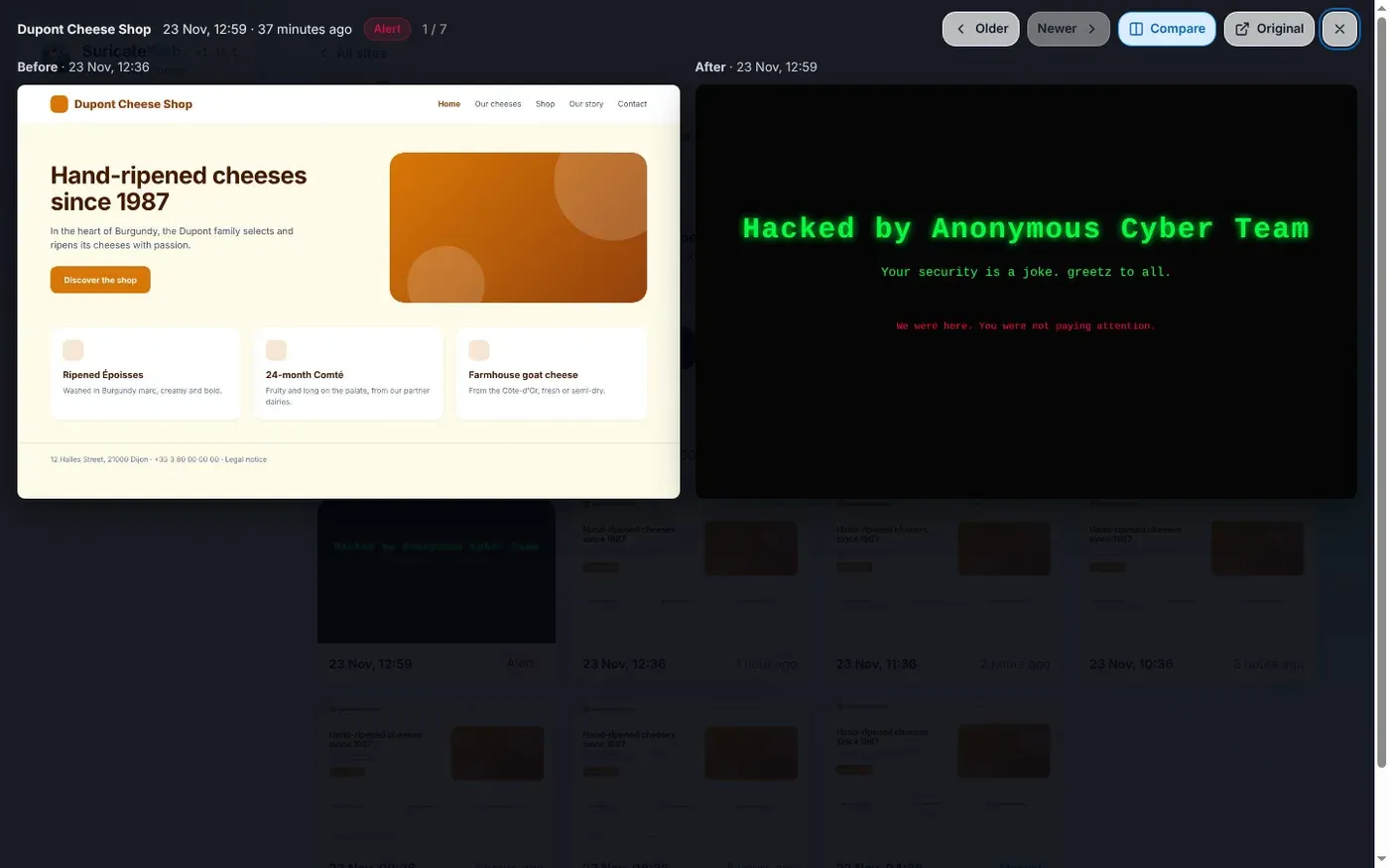
SuricateWeb photographs your pages with a real browser (Chrome or Chromium). You see what your visitors see, even when the text has not changed.
What you can do
Section titled “What you can do”- Scheduled screenshots: at the frequency you choose, with a number of screenshots kept per site.
- Manual screenshots and alert screenshots (attached to visible critical alerts).
- Capture the full page: turned on by default for new sites.
- Compare two screenshots side by side, before and after a change or a hack.
Alert when the appearance changes
Section titled “Alert when the appearance changes”SuricateWeb compares each scheduled screenshot with the previous one and measures the percentage of the page that changed. Beyond a threshold an alert goes out (on Telegram, with the image of the changed areas in red):
- critical from 50% of the page changed: a replaced page;
- the alert is only sent for a scheduled screenshot, and only if the previous one had already been compared;
- it is held back during a maintenance window.
The threshold, the colour tolerance and the areas to ignore (a carousel, a clock, an ad) are set per site.