
Integrity and suspicious code
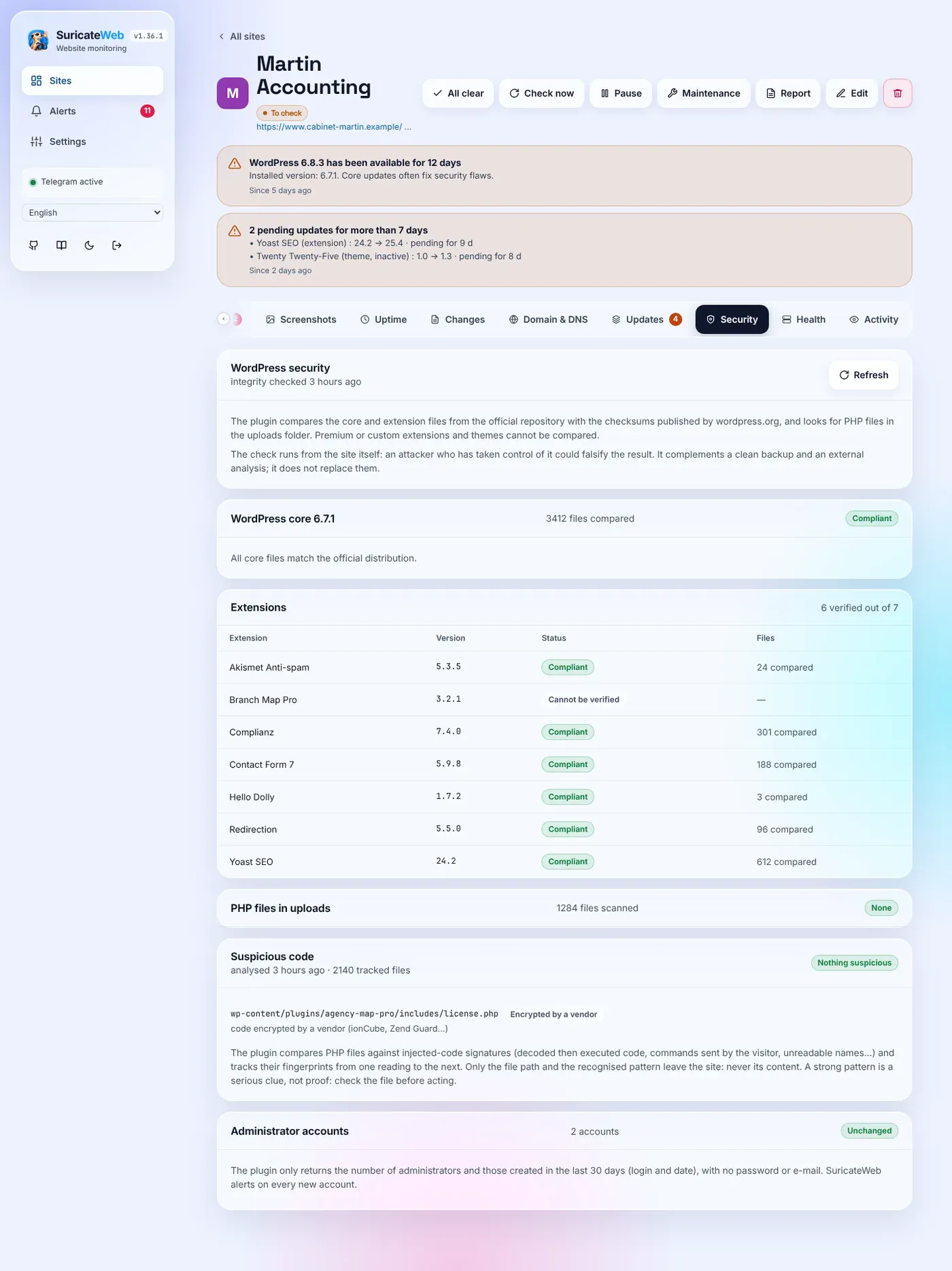
SuricateWeb sees a site’s HTML, not its files. The plugin fills that gap: it reads the files from the site itself, where they are. The Security tab (WordPress and PrestaShop sites) presents the result.
File integrity (WordPress)
Section titled “File integrity (WordPress)”| Check | Alert |
|---|---|
| WordPress core compared with the official checksums published by wordpress.org | critical if a file is modified or added |
| Plugins from the official repository, one by one | critical if a file is modified or added |
PHP files in uploads/ |
critical: the usual place for a backdoor |
Premium or custom plugins, and custom themes, cannot be compared: the tab says so (“Cannot be verified”) instead of declaring them compliant. The check is heavy: the plugin caps it at 60 seconds and keeps the result for 30 minutes.
Suspicious code
Section titled “Suspicious code”Checksums cover neither custom themes, nor premium plugins, nor PrestaShop. So the plugin also looks, in the site’s PHP files, for what looks like injected code: code decoded then executed, execution of what the visitor sends, obfuscated JavaScript, different content for search-engine robots, PHP hidden in images…
- Only the path, the identifier of the pattern recognised and a short fingerprint are transmitted, never the content of a file.
- A file added or modified outside an update is flagged; a known, legitimate file is marked with I know this file (a later modification becomes an alert again).
- A plugin whose code is encrypted by its publisher (ionCube, Zend Guard) is listed separately, without an alert.
Administrator accounts
Section titled “Administrator accounts”SuricateWeb counts the site’s administrators. A new account raises a critical alert, with its login and creation date (WordPress). If you know it, click I know these accounts: it becomes the baseline.